Why signatures are a bottleneck for bookkeeping firms
A bookkeeping engagement usually starts with paperwork: an intake questionnaire, an engagement letter, sometimes authorizations for the work you will do on the client's behalf. In many firms each of those lives in a different tool. The intake form is in one place, the letter goes out from a separate e-signature service, and the signed copy is downloaded and filed by hand, if someone remembers.
The result is a slow start to new engagements and a messy record. When a client asks what they agreed to, or when you renew engagement letters for the new year, you end up searching three systems for one PDF.
How e-signatures work in Cordevra
In Cordevra, forms and e-signatures are part of the client record, not a separate subscription.
- Start with your own intake form. Build the custom forms your firm needs. When a new client completes intake, the client, their documents and their services are set up automatically.
- Send the engagement letter for signature. Your own engagement letters go out through the client portal, so the client signs in the same place they upload documents and approve bills.
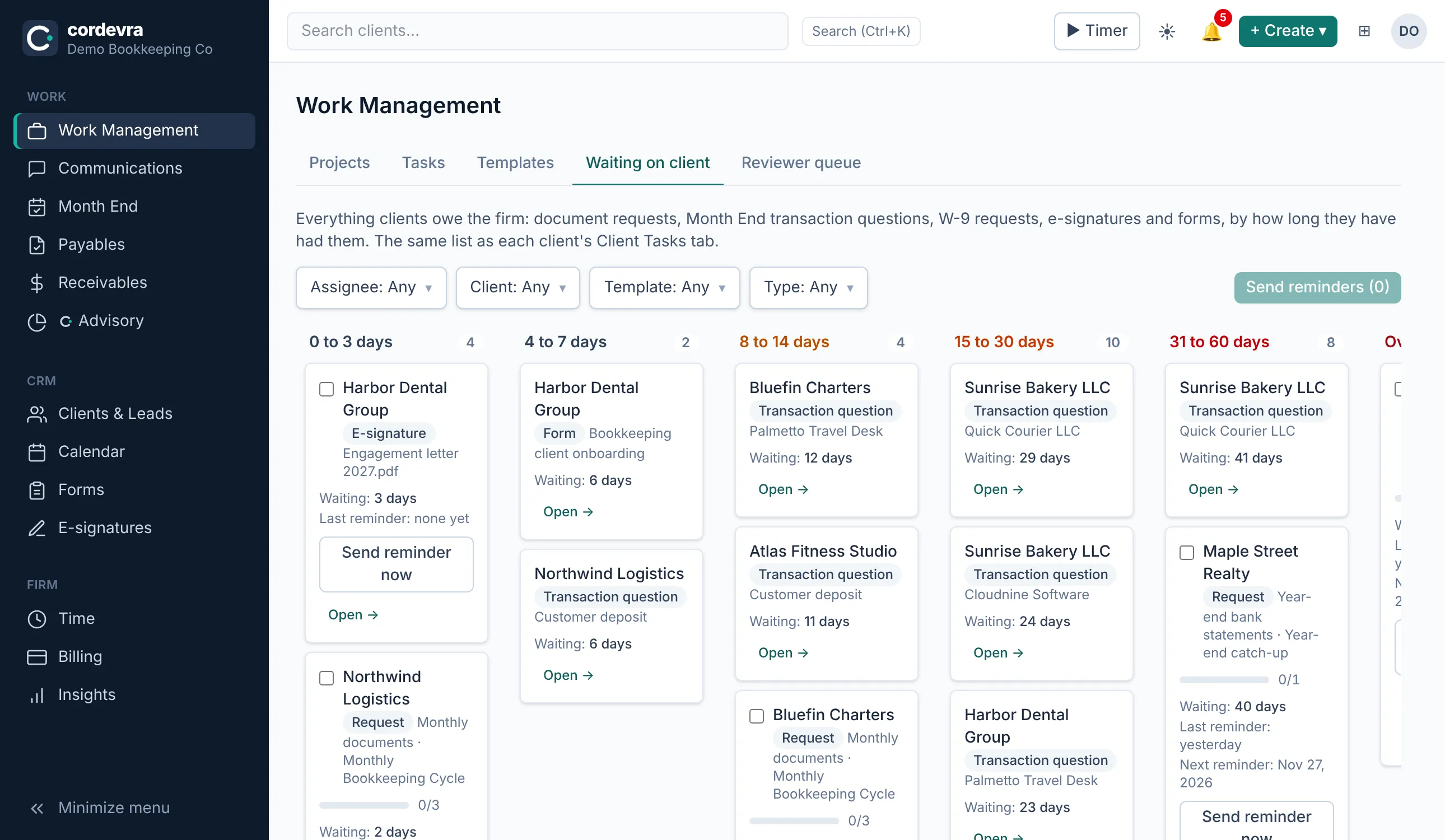
- Track who still needs to sign. Every unsigned document appears on the Waiting on client board next to other open requests, grouped by how long the client has had it.
- Remind without retyping. One click sends a reminder, and reminders are logged on the client's activity, so the whole team can see what has already been sent.
- Keep it on the client record. Form answers and signature status stay with the client's profile, next to their projects, documents and notes.
Where e-signatures fit in your practice
New client onboarding
The fastest onboarding is one link: intake form, engagement letter, then document requests. Our client onboarding checklist shows the order we recommend and what to collect at each step.
Annual renewals and scope changes
When you raise prices or add a service such as payroll or accounts payable, the change belongs in writing. Put the renewal into your recurring workflows so new letters go out on schedule every year instead of whenever someone remembers.
Ongoing authorizations
Any document a client must sign during the year can go through the same portal, so signatures never live in a separate inbox.
Rules for electronic signatures vary by country, state and document type. Check what applies to your engagements and keep a wet signature where it is required.
One price, no per-envelope fees
E-signatures are part of every Cordevra plan alongside the portal, forms, documents and scheduling. There is no separate add-on for signatures, and your clients never pay for a seat.