Why QuickBooks review stalls every month
Every bookkeeper knows the pattern. The bank feed is caught up, most transactions are coded, and then there is the pile nobody can finish alone: the unexplained transfer, the card charge from a vendor you have never seen, the customer deposit that does not match an open invoice. You need the client to tell you what they are.
So the questions go out by email, often as a spreadsheet. The client answers some of them in the spreadsheet, some in the email body and one on a phone call. Someone on your team then reads the answers and keys them into QuickBooks by hand. If the client never replies, the close waits, and the question quietly turns into a guess.
How QuickBooks review works in Cordevra
Cordevra keeps the question, the answer and the approval in one place, connected to QuickBooks Online.
- Your team sends the questions. Transactions that need the client's input become questions for that client, with the amount and details they need to recognize the item.
- The client answers in the portal. They see "transactions to explain" as an action item in their client portal and answer each one there, not in a reply-all thread.
- Your team reviews the answer. Nothing changes in the books just because a client typed something. A team member checks each answer first.
- Approved answers go back to QuickBooks Online. Once your team approves, the answer syncs back, so nobody re-keys it.
Open questions also appear on the Waiting on client board, grouped by how long the client has had them, with one-click reminders. When the month's close is blocked by three unanswered questions, you can see it, and so can the client.
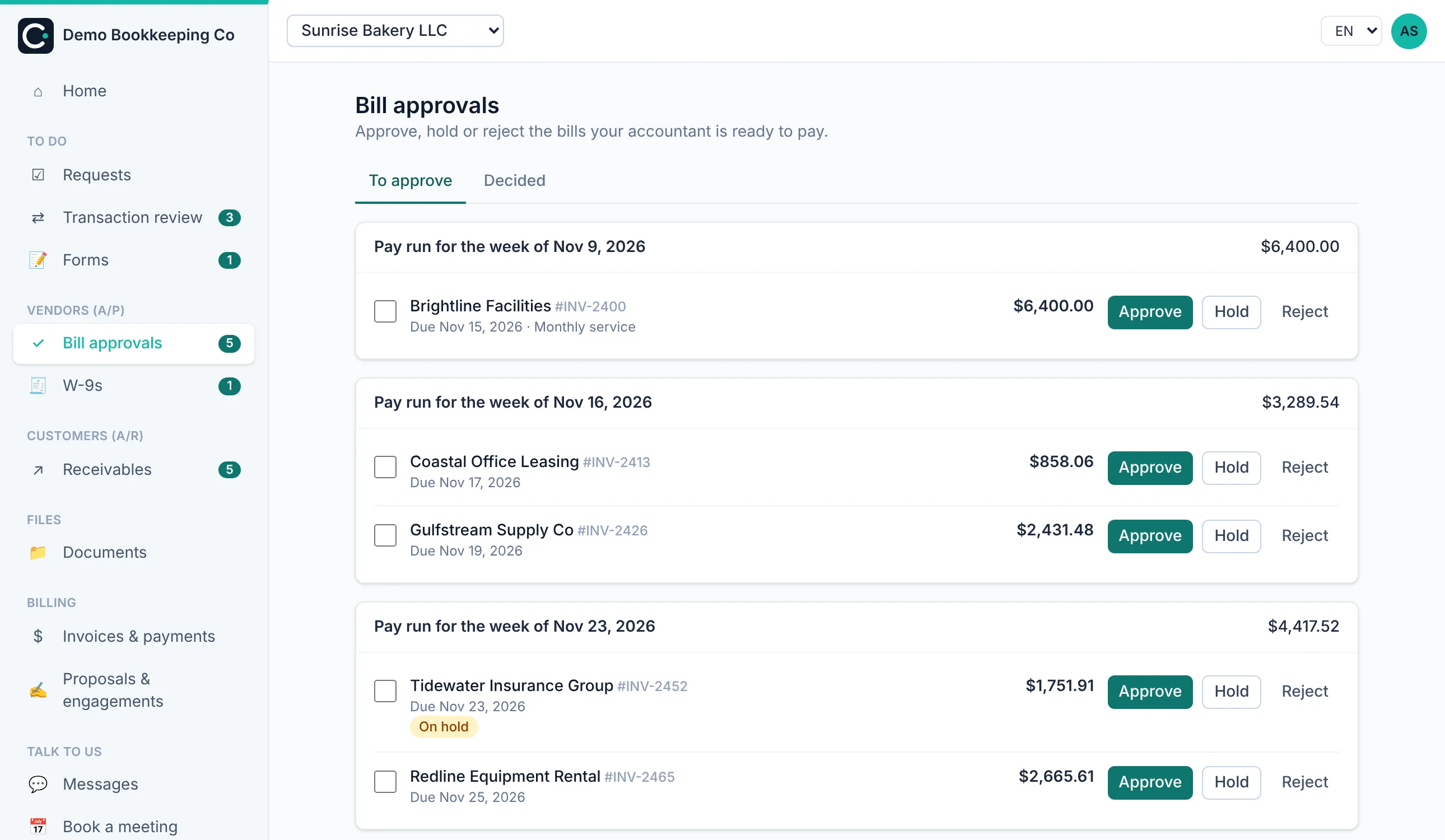
Bill approvals in the same place
Payables work has the same problem in a different shape: bills arrive, someone has to approve them, and approvals by email are hard to audit. In Cordevra, clients approve, hold or reject bills grouped by pay run, right from their portal, and you set your own approval rules for each client. That makes it practical to offer accounts payable as a service, alongside collections that follow up on their own and W-9s and 1099s handled before January.
Part of the monthly cycle, not a side task
QuickBooks review works best as a step in your close, not a scramble at the end of it. In Cordevra, review sits inside your recurring workflows: request documents, reconcile, review, client questions, close, invoice. Each period the same steps come back with the right deadlines. Our month-end close checklist walks through the full sequence.
The QuickBooks Online integration is included in every plan. When Cordevra Advisory launches, it will add ready-made dashboards and report packs for each connected QuickBooks client; it is priced separately on the pricing section.